Every clean on record, in your client portal.
See when your cleaner arrived and left, which areas were done and a weekly photo check, any time you like. Report a problem or ask for supplies in two taps.
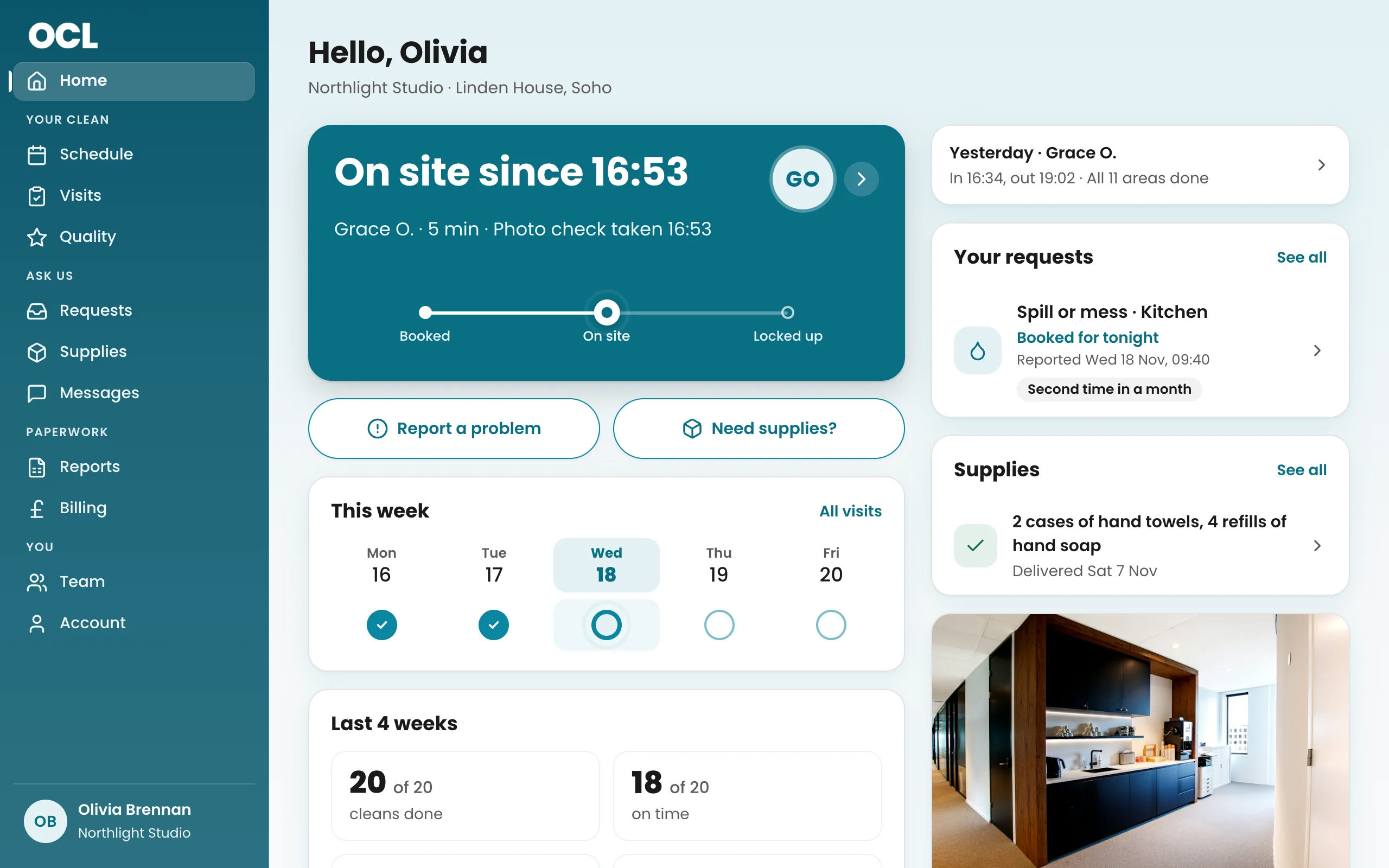
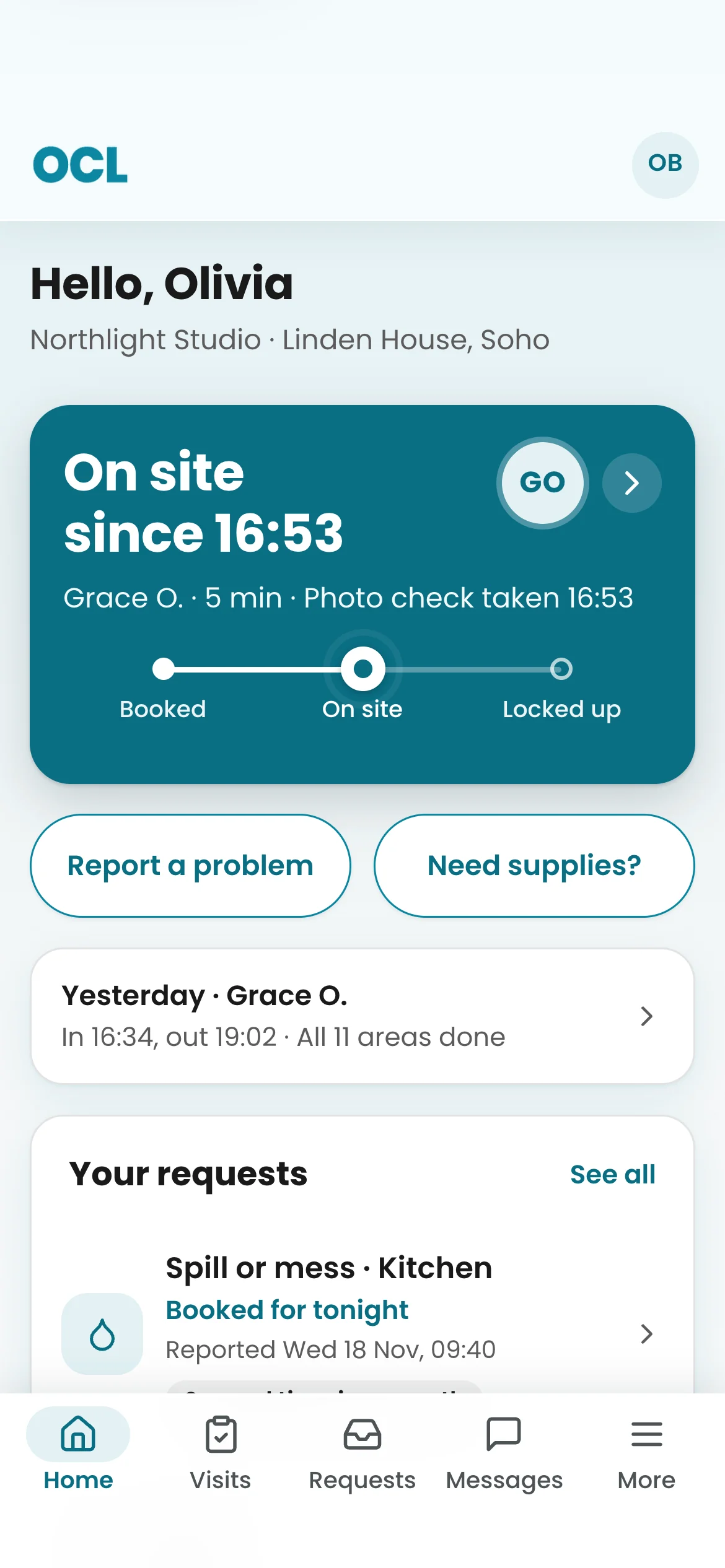
Tap the phone or the laptop to try it. It’s a demo account for a made-up client, Northlight Studio in Soho: nothing you do is saved, and it isn’t connected to any real client.
A quick tour
Seven things your portal shows you
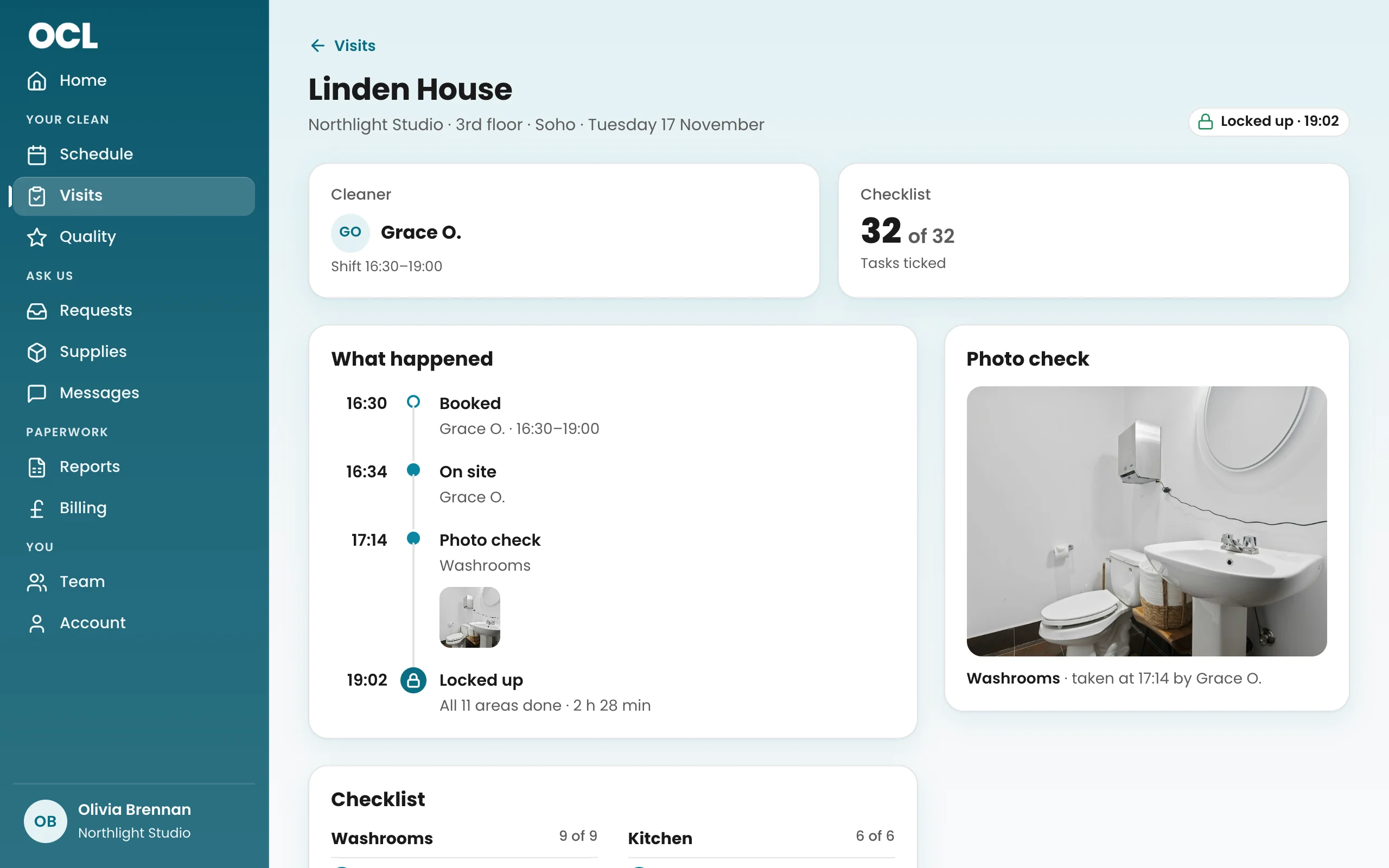
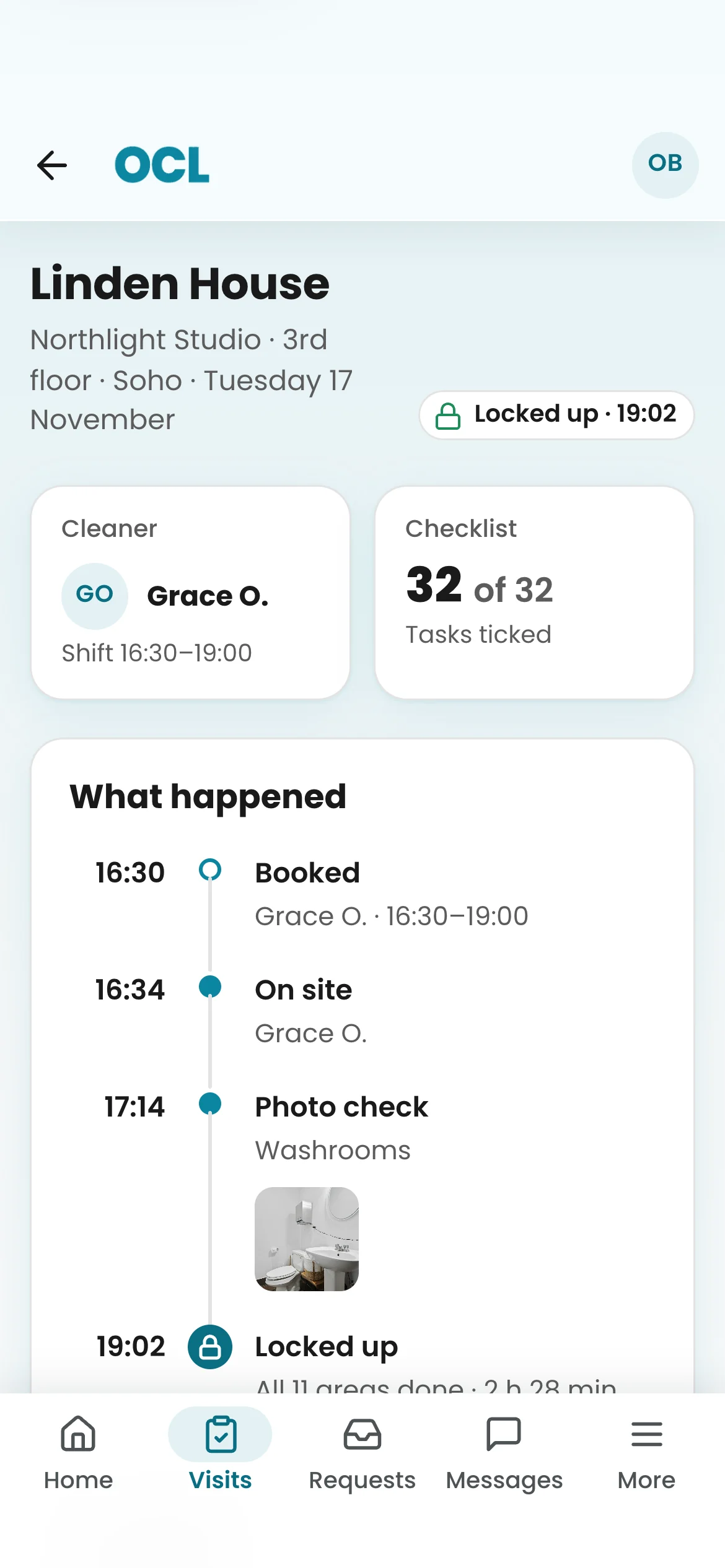
Every visit, start to finish
Your cleaner clocks in and out and ticks off each area as it’s done. Open any visit to see the whole evening: when they arrived, the photo check, and when they locked up.
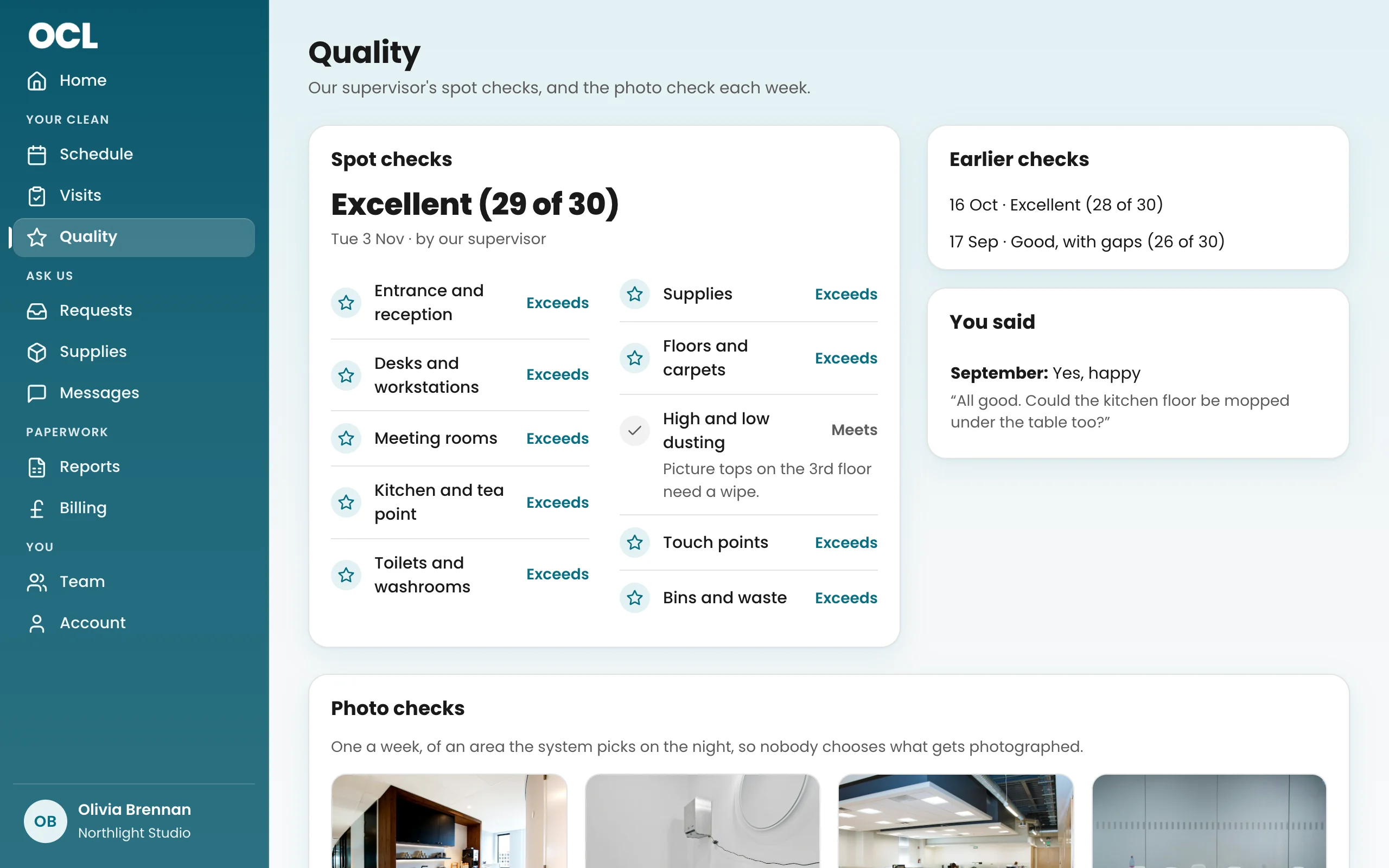
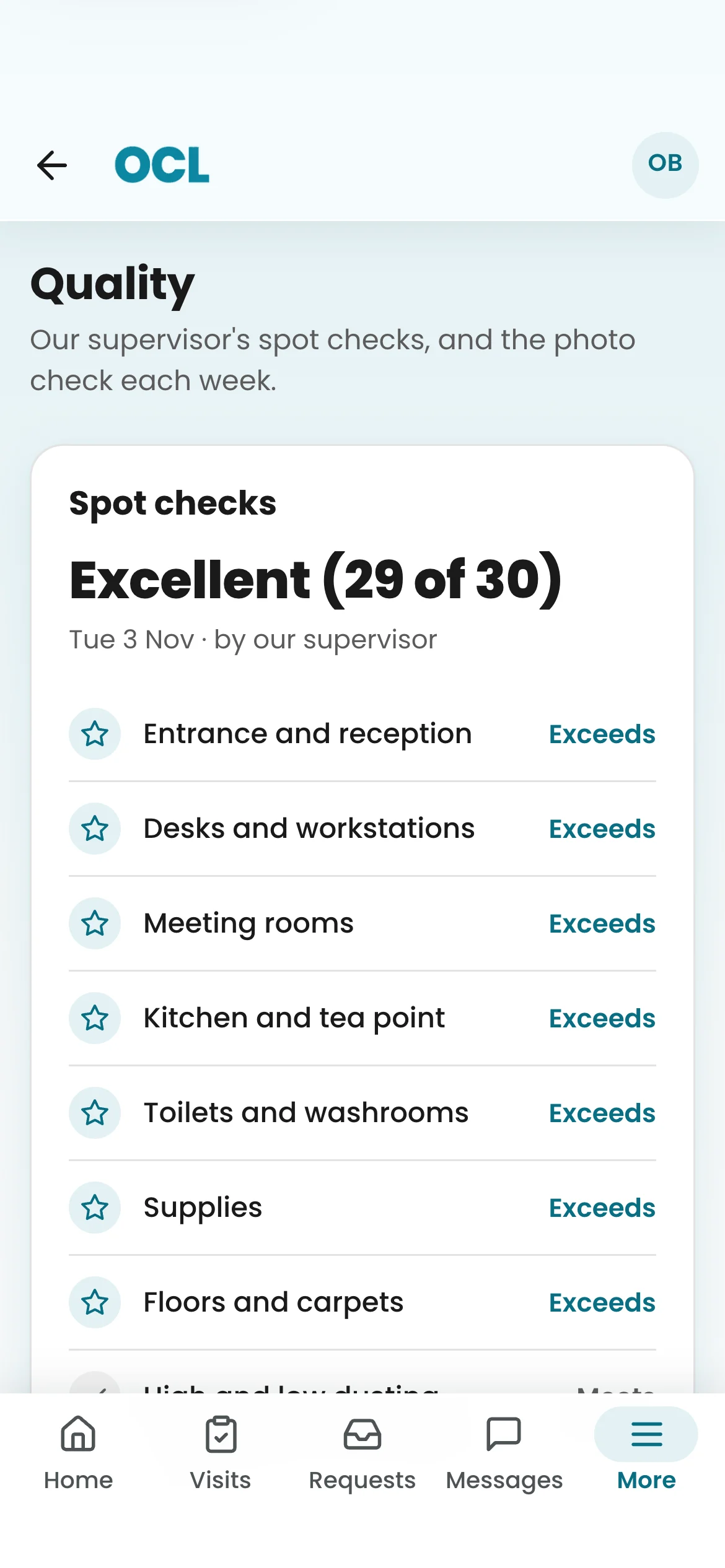
Spot checks, scored
Our supervisor checks the work and scores each area, so you can see the standard for yourself instead of taking our word for it.
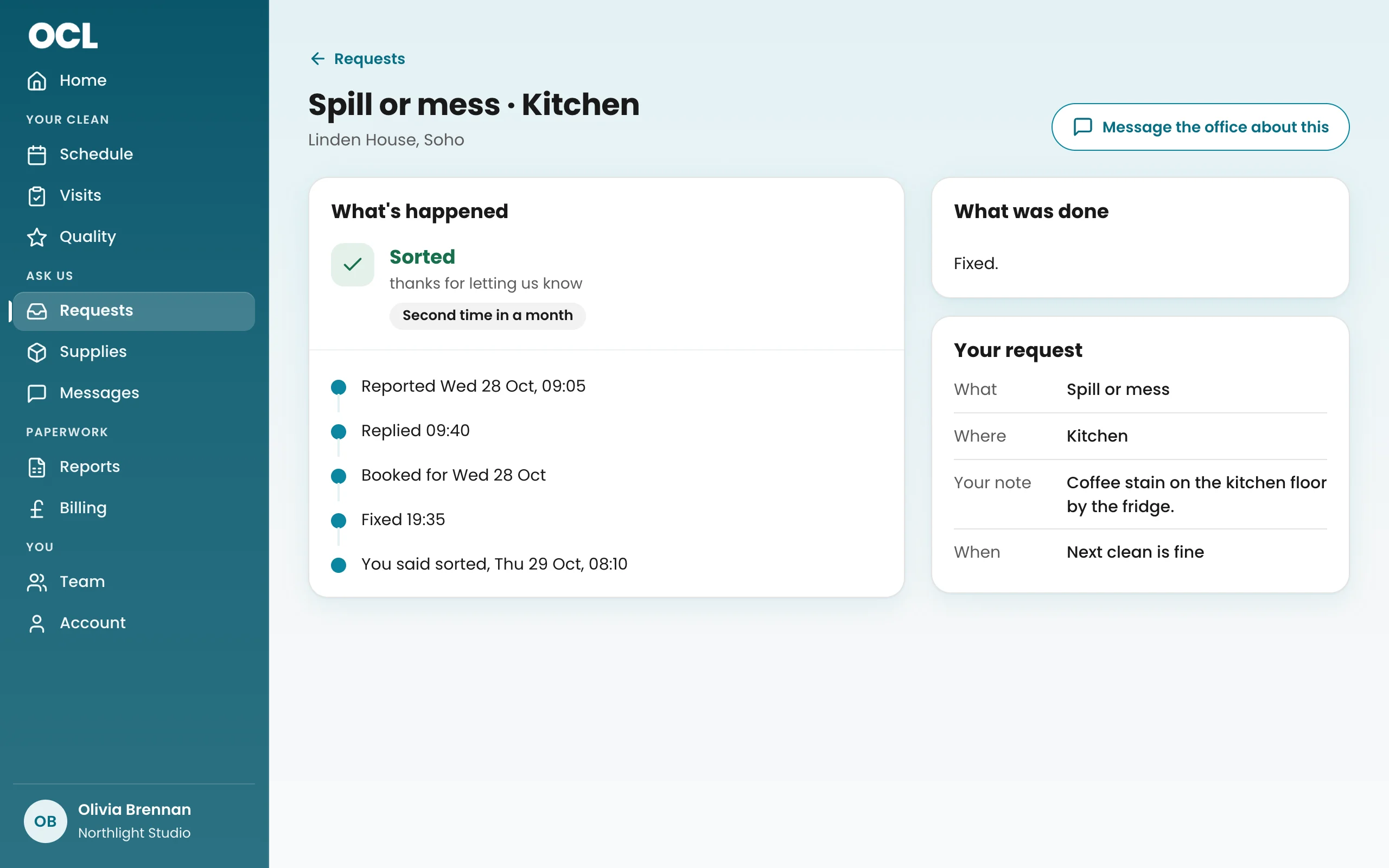
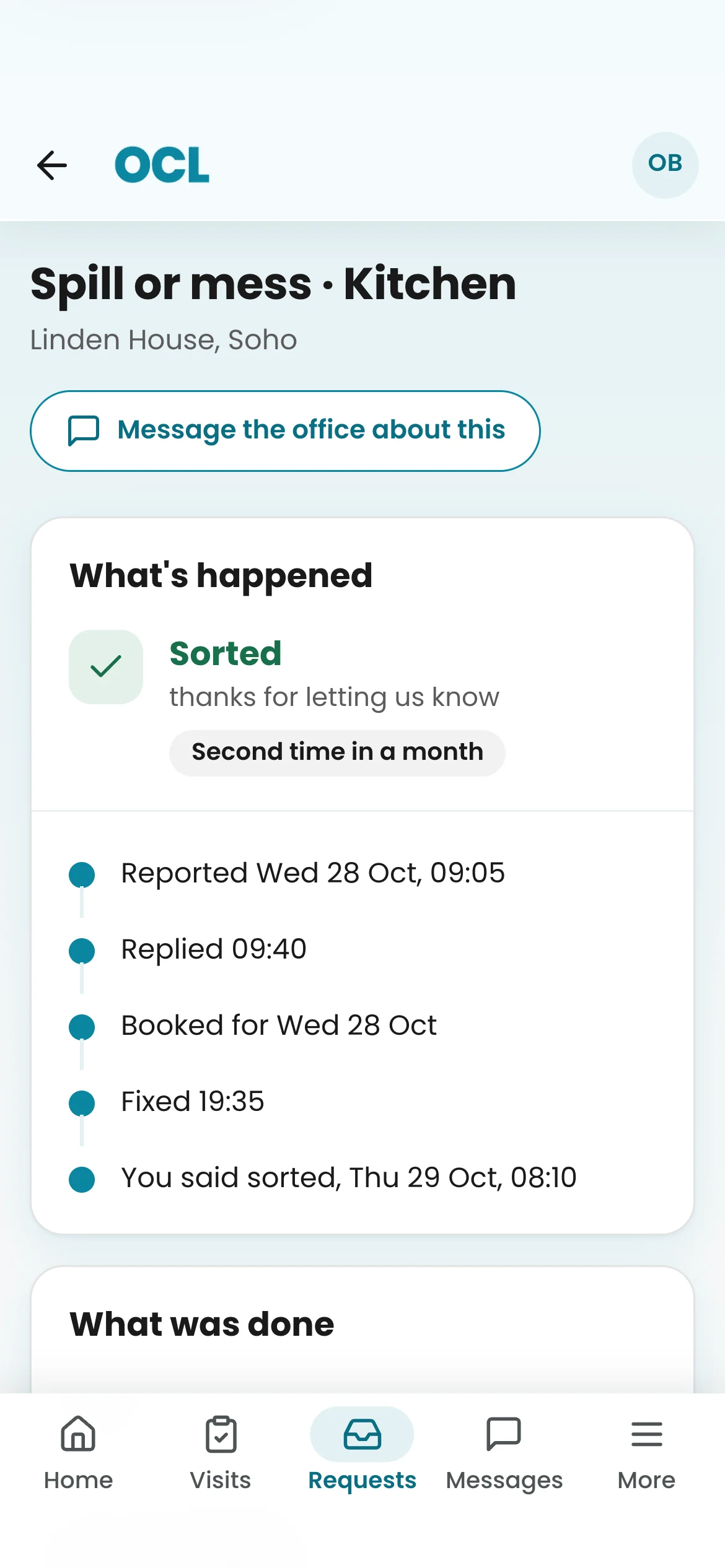
Report a problem in two taps
A spill in the kitchen, an empty soap dispenser: tap Report a problem, pick the area and add a photo if you like. You see every step, and you’re the one who marks it sorted.
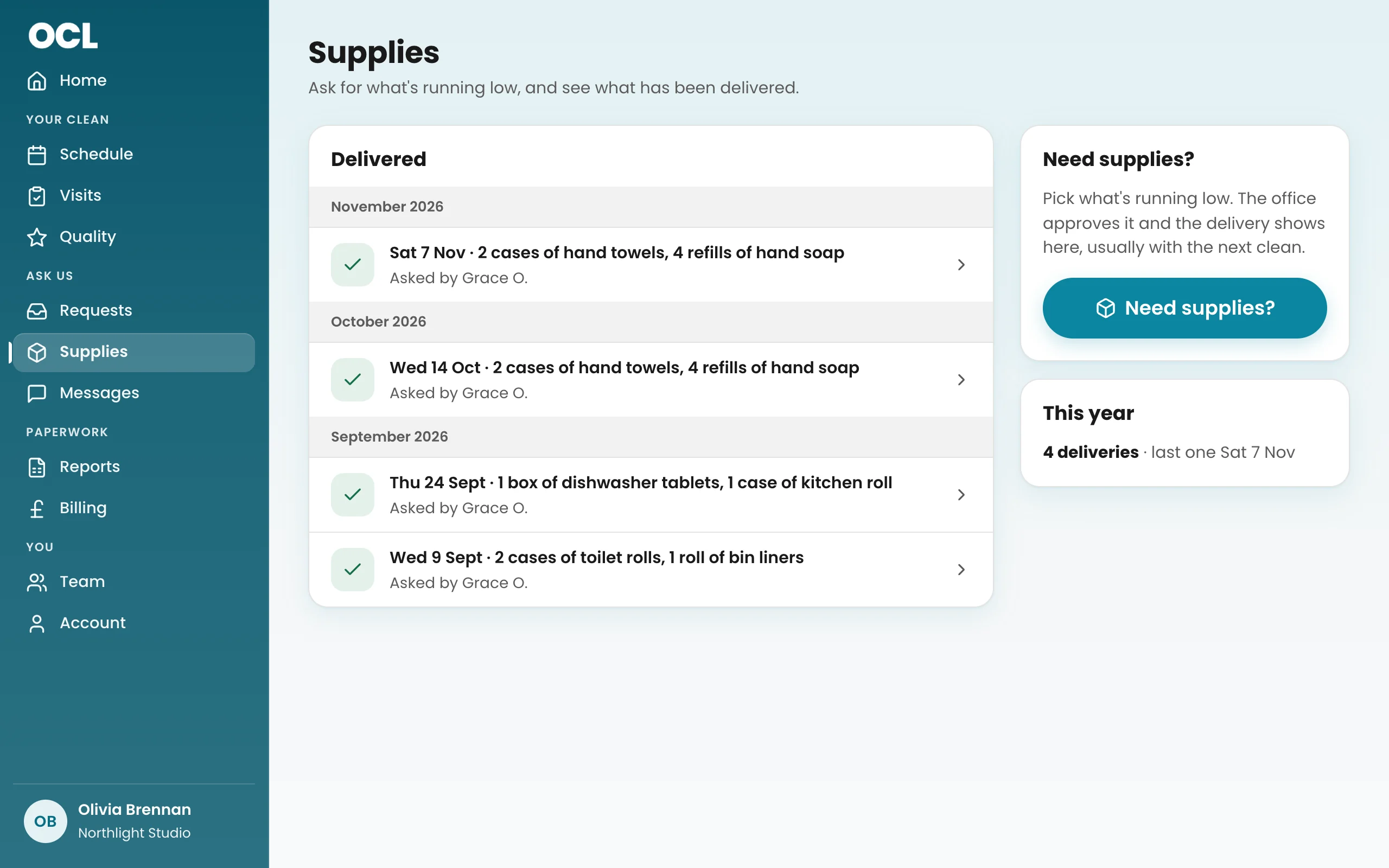
Running low? Ask in one tap
Ask for hand towels, soap or bin bags, then see when the request is approved and when it’s delivered.
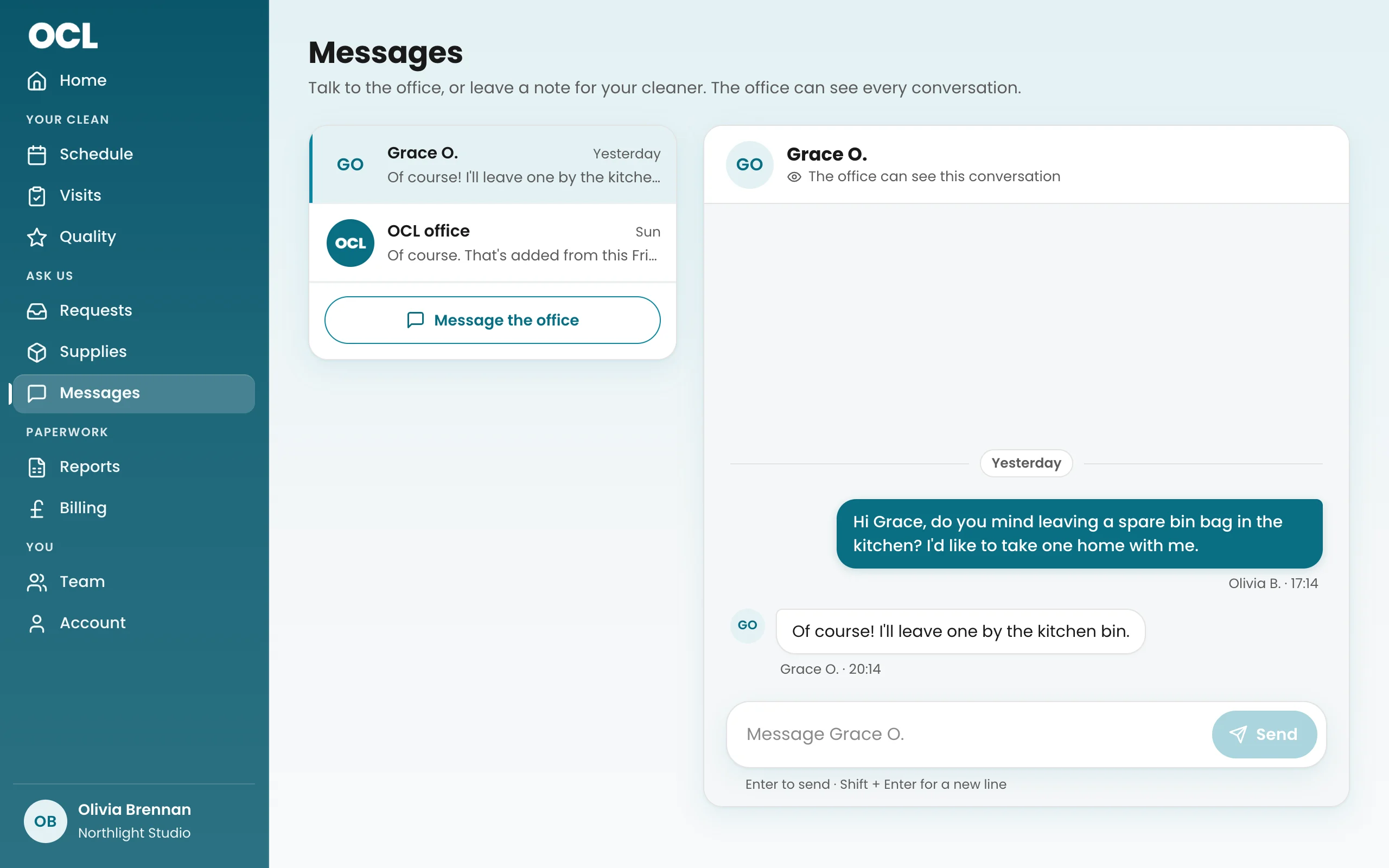
Talk to the office, or leave your cleaner a note
Every message sits in one place, and the office sees every conversation, so nothing gets lost between shifts.
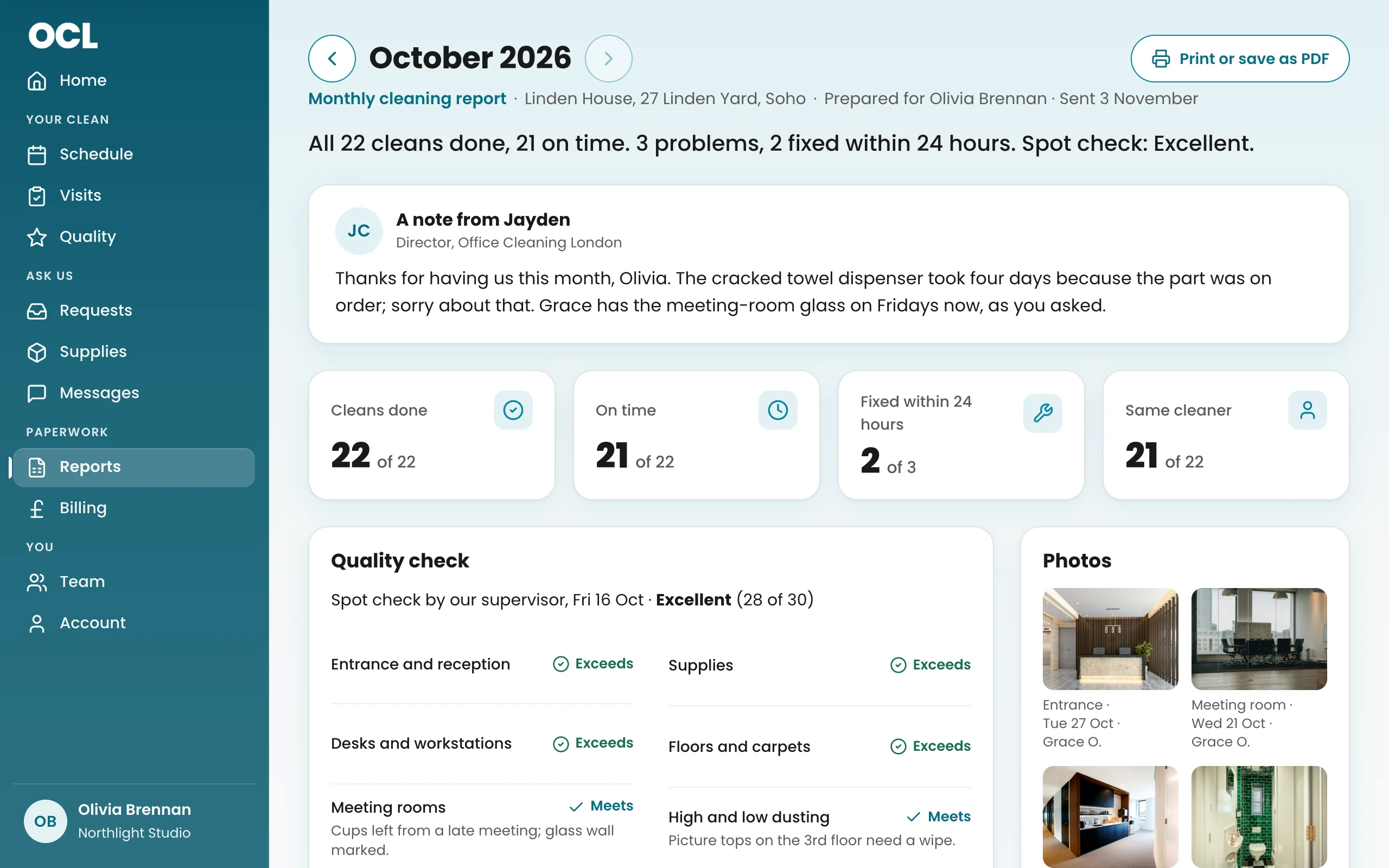
A monthly report you can forward
Cleans done, time kept, problems and how fast they were fixed, with a note from us. Print it or save it as a PDF in one tap.
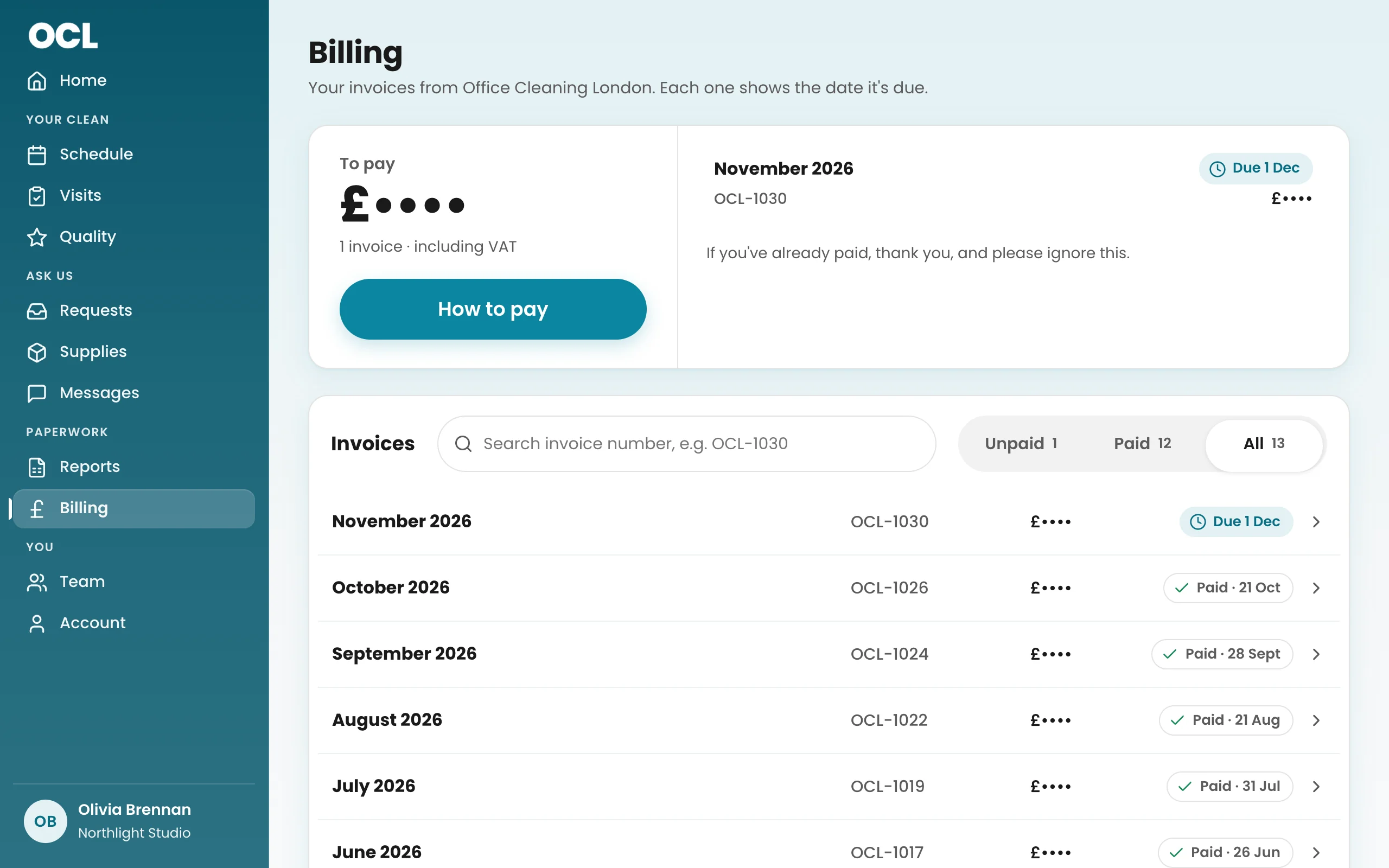
Invoices in one place
See what’s due and when, and find every past invoice without digging through your email.
-
1
Every visit, start to finish
Your cleaner clocks in and out and ticks off each area as it’s done. Open any visit to see the whole evening: when they arrived, the photo check, and when they locked up.
-
2
Spot checks, scored
Our supervisor checks the work and scores each area, so you can see the standard for yourself instead of taking our word for it.
-
3
Report a problem in two taps
A spill in the kitchen, an empty soap dispenser: tap Report a problem, pick the area and add a photo if you like. You see every step, and you’re the one who marks it sorted.
-
4
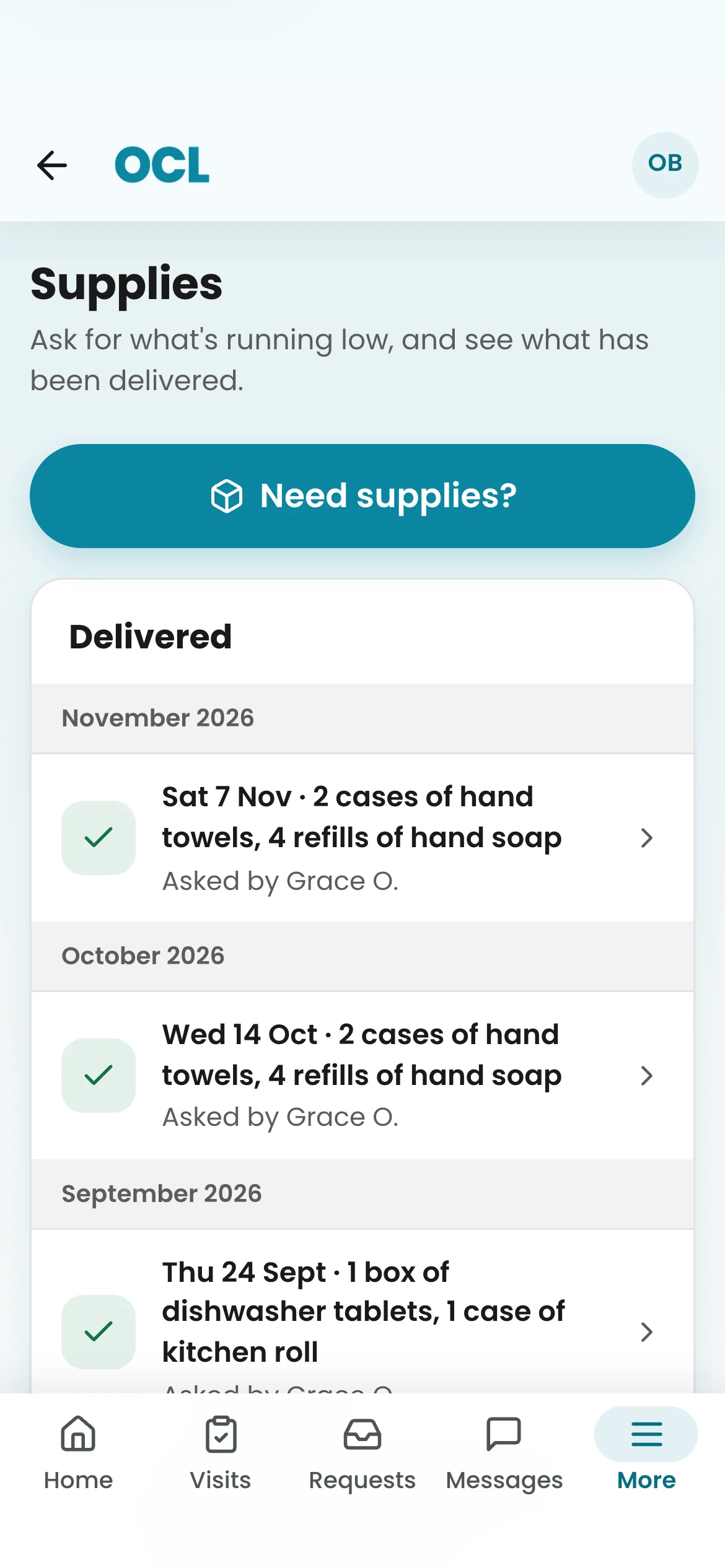
Running low? Ask in one tap
Ask for hand towels, soap or bin bags, then see when the request is approved and when it’s delivered.
-
5
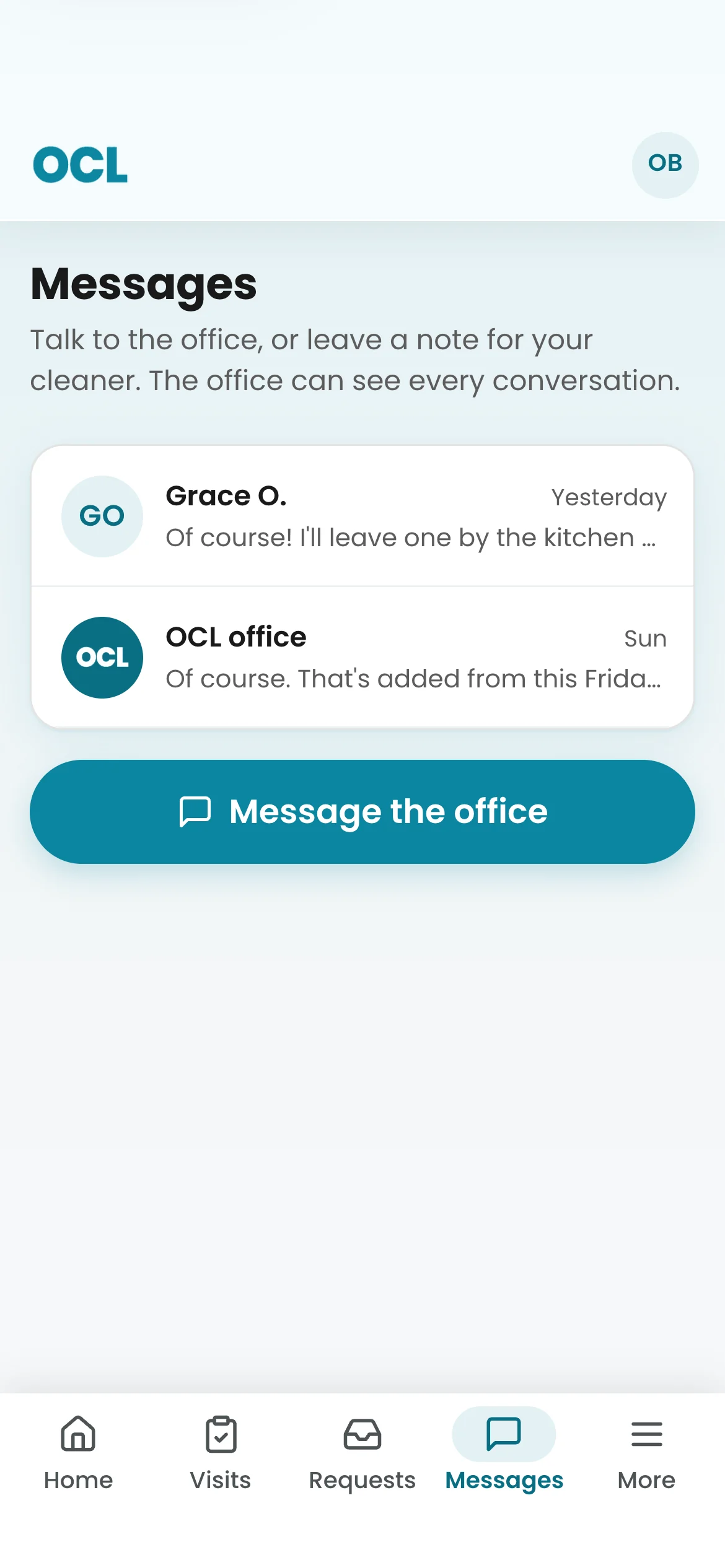
Talk to the office, or leave your cleaner a note
Every message sits in one place, and the office sees every conversation, so nothing gets lost between shifts.
-
6
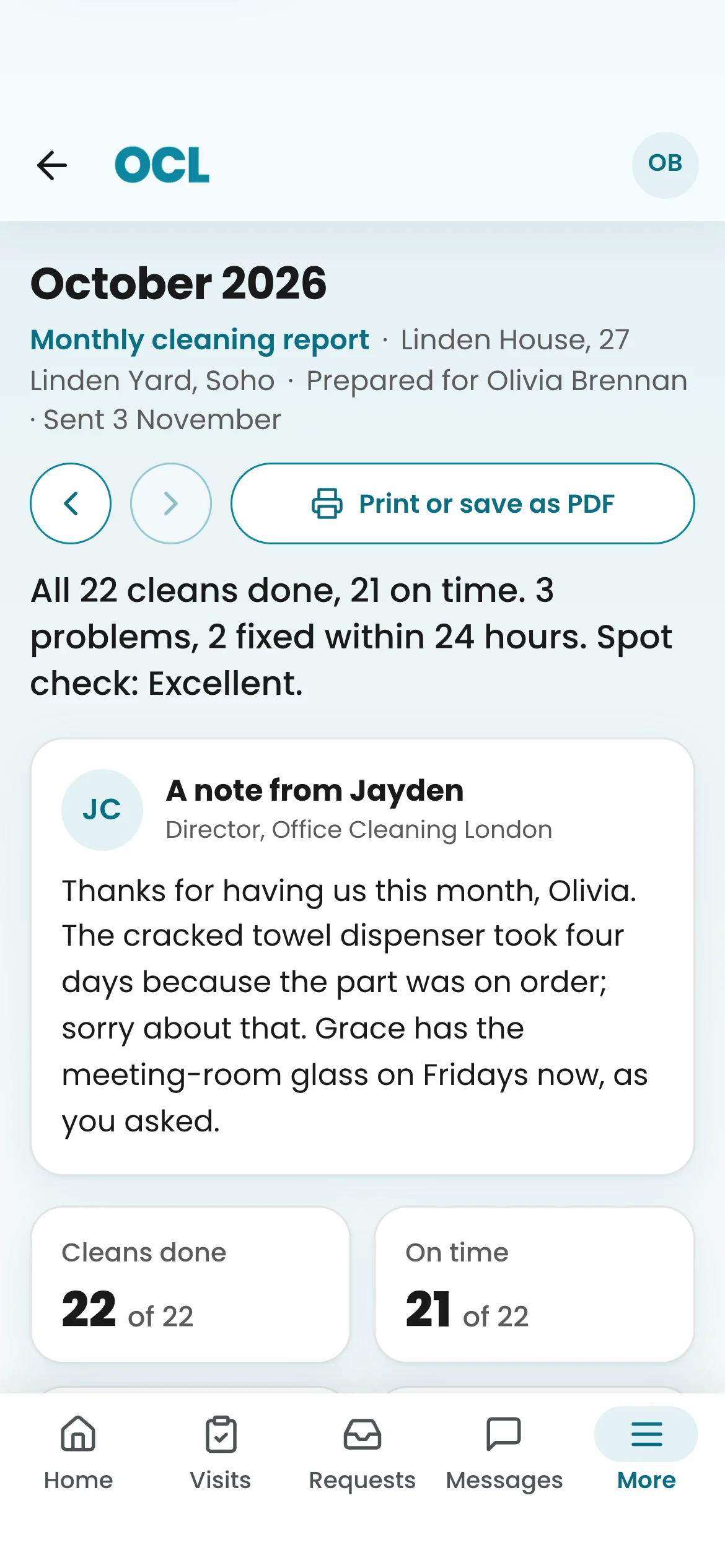
A monthly report you can forward
Cleans done, time kept, problems and how fast they were fixed, with a note from us. Print it or save it as a PDF in one tap.
-
7
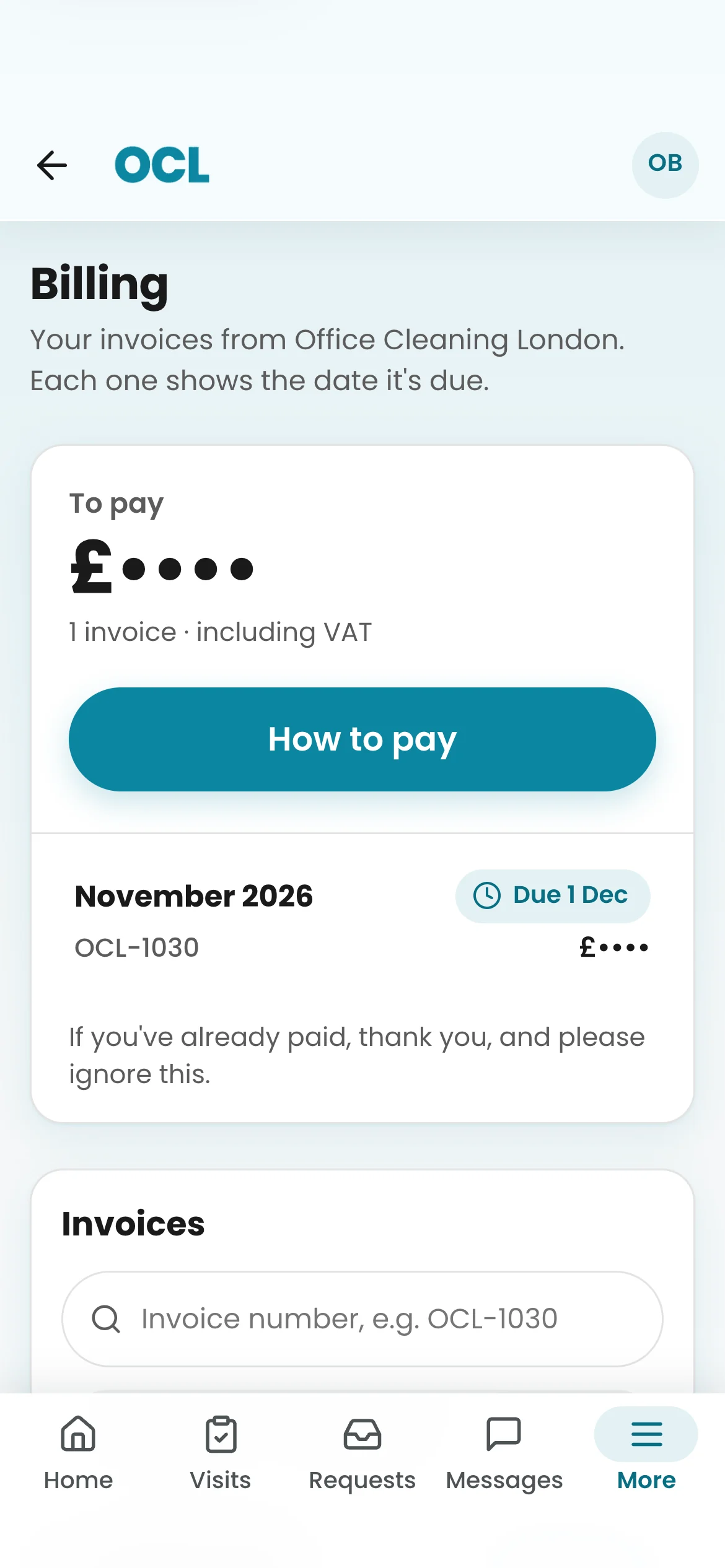
Invoices in one place
See what’s due and when, and find every past invoice without digging through your email.
Who it’s for
Built for the people who answer for the cleaning
You shouldn’t have to walk the floor or chase an email to know the cleaning was done. The portal shows you what happens in your building on every visit: who came, what they did, and what’s been put right.
Property managers
Several buildings, one place to see them all.
- Visits, problems and supplies for every site, building by building.
- A monthly report for each building, ready to forward to a landlord or client.
- Every problem tracked from the moment it’s reported to the moment it’s sorted, with the time of each step.
- Invoices for every site, with what’s due and when.
Office managers
Know it’s done without walking round to check.
- See when your cleaner arrived, which areas were done and when they locked up.
- Report a spill or an empty dispenser from your phone in two taps.
- Ask for hand towels, soap or bin bags, and see when they’re delivered.
- Message your cleaner or the office in one place, so nothing gets lost between shifts.
What we record
Only what proves the cleaning was done
The portal answers one question: was it done, and done properly? This is everything it keeps, in plain words.
About your cleans
- When your cleaner clocks in and clocks out.
- Which areas they mark as done.
- A photo check of one area, about once a week. The system picks the area, and the office holds a photo back if it shouldn’t be shared, for example if someone is in it.
- Problems your cleaner reports, and what was done about them.
- Supplies they order for your site.
About you
- Your name and work email, so you can sign in.
- Your messages with the office and with your cleaner.
- Your invoices, and when they are paid.
- The monthly reports we send you.
What we never do
- Track where your cleaner is. There is no location tracking.
- Record anything inside your offices apart from the weekly photo check.
- Record anything else on your phone or computer.
Who sees what
- The OCL office
- Sees everything.
- You
- Only ever see your own sites.
- Your cleaner
- Sees their schedule, your site’s checklist and the messages you share with them.
Getting started
Getting on board is mostly on us
We set up your portal from what we already know about your building. You only add the private details we can’t know, and your cleaner adds their own.
- 1You
Get a free quote
Book a free walkthrough. We look round your building and send you a written quote within 24 hours.
- 2Together
We agree your cleaning spec
What gets cleaned in each room, and how often, written down for your building. See our standard spec.
- 3Us
We set up your account
Your company, building address and spec go in from what we already know, so there’s no form for you to fill in.
- 4You
You add the private details
You get an email invite, choose your own password and add what only you know: how to get in, the alarm and who to call. They go straight into your portal, not into an email.
- 5Us and your cleaner
We introduce your cleaner
Your regular cleaner sets up their own account, and you both get the spec, so everyone works from the same list.
- 6Every visit
Your first clean
From the first visit, every clean, photo check and message is in your portal.
Cleaning you can check.
Book a free walkthrough of your office and we’ll send you a quote within 24 hours.